


This post is part of our occasional series where we try out the latest and greatest AI tools! The Traitors UK celebrity edition launches on 1 October.
Do you notice anything different about this version of the 2026 Celebrity Traitors trailer?
We took short clips from the current trailer and from the previous series (Yes, of course Alan Carr can speak Japanese!) then used the AI translation tool in Riverside to produce the updated version above. Here’s the original, English video sequence:
How was it done?
Here are the main workflow steps followed in Riverside’s browser interface.
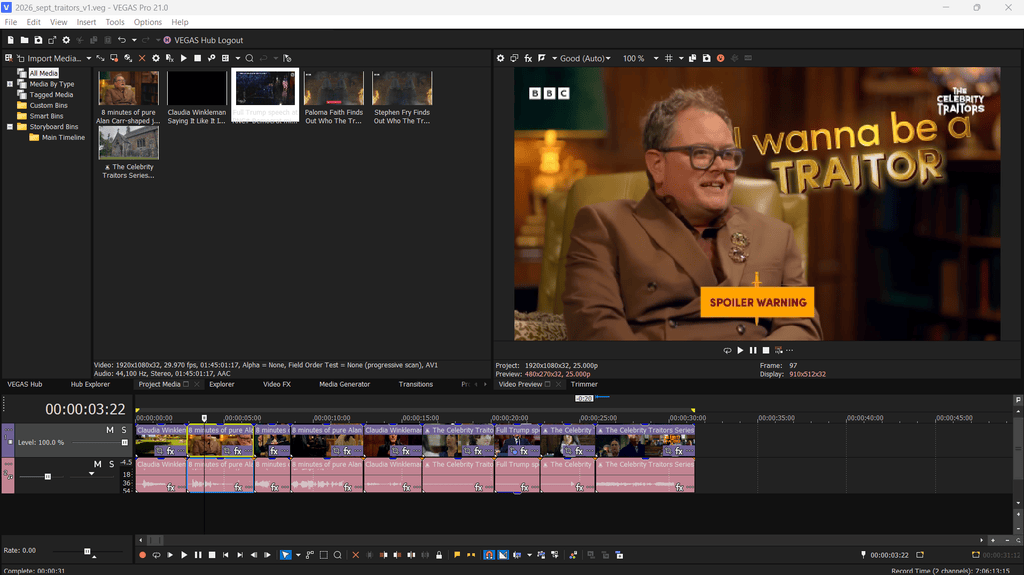
1: Sequence the downloaded clips on a video timeline (We used Vegas Pro – You can use any modern video editor including Premiere and Resolve).
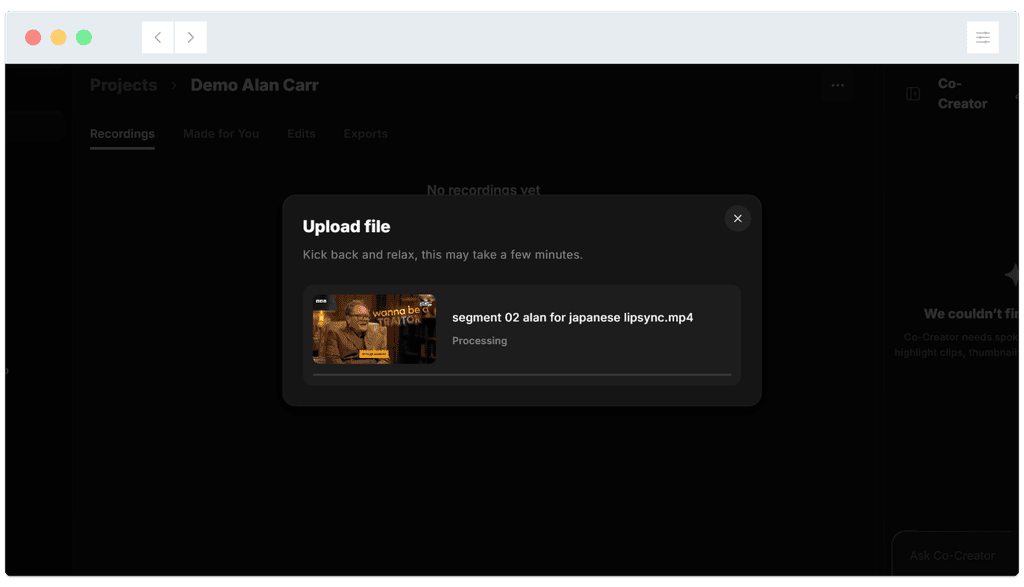
2: Export the clips requiring translation, then import each one into Riverside:
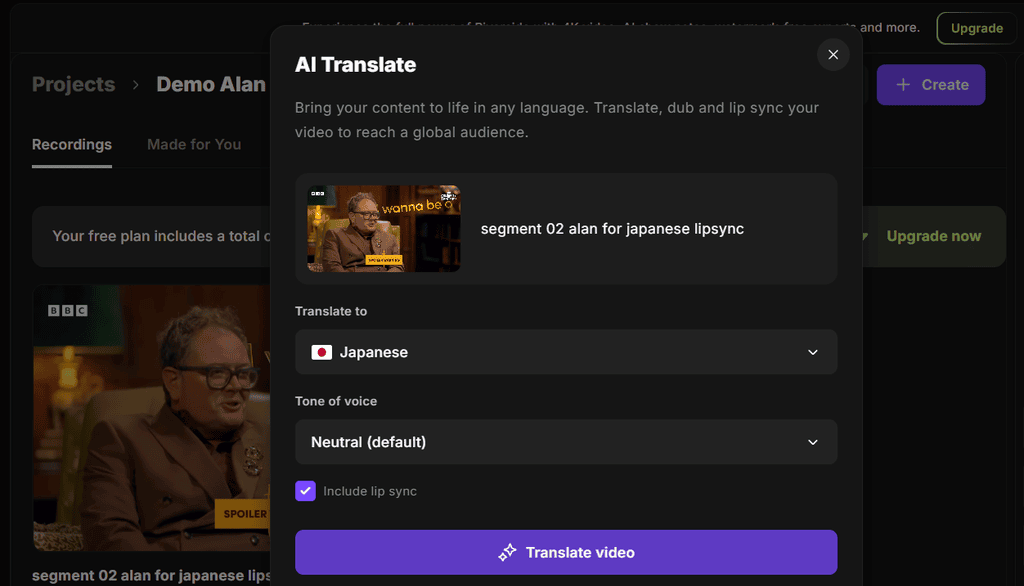
3: Use Riverside’s AI translate tool to convert an individual clip into the language of your choice (Remember to include lipsync!):
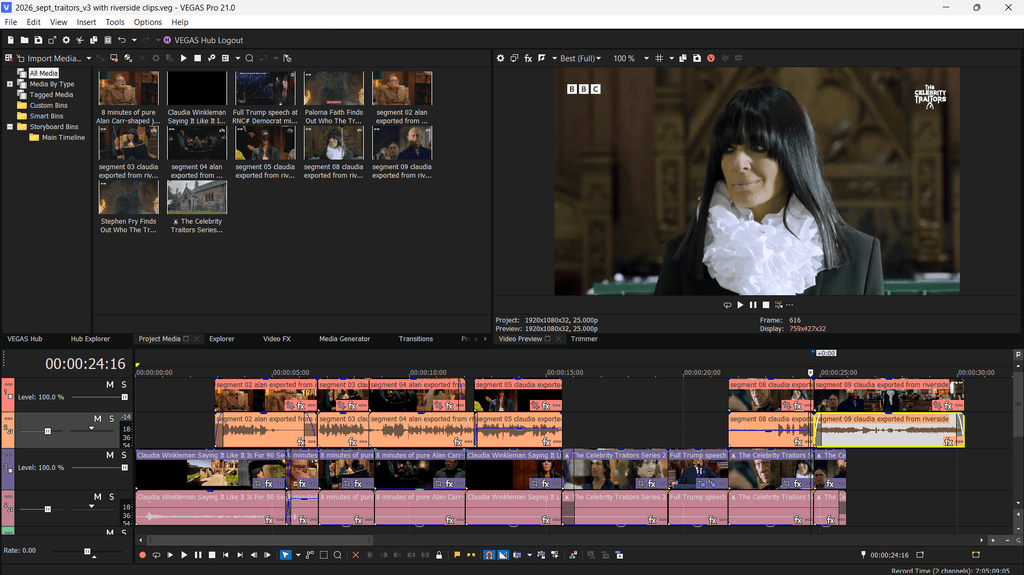
4: Export the translated clip, then repeat the above steps for the remaining clips. Import them back into a video editor to reassemble into the final video sequence. (You can accomplish this entirely inside Riverside – We chose to use Vegas Pro as it’s our prefered video editor).
What is Riverside?
Riverside is an online recording studio for producing podcasts, interviews, webinars and video content with remote participants. It runs mainly in a web browser and records each participant’s audio and video locally on their device, then uploads the separate tracks to the cloud. This helps to produce better-quality recordings than simply recording a video call in Zoom or Teams. Native to the interface is text-based audio and video editing, meaning you can edit audio / video by simply editing the text transcription.
Riverside’s AI tools include…
- AI Translation: Translates spoken content into other languages, making it possible to create versions for different audiences.
- Automatic transcription: Converts recordings into searchable, time-coded text in more than 100 languages. You can edit the recording by editing the transcript—for example, deleting a sentence removes the corresponding section of video.
- Magic Clips: Identifies likely highlights in a long recording and turns them into short, social-media-ready videos. It can apply captions, branding, and suitable framing for platforms such as TikTok, Instagram Reels, and YouTube Shorts.
- Magic Audio: Improves spoken audio by reducing background noise, balancing volume, and cleaning up the recording. It can also remove silences and filler words such as “um” and “uh.”
- AI captions: Generates captions from the transcript, which can then be styled and added to the video.
How much does it cost to use Riverside?
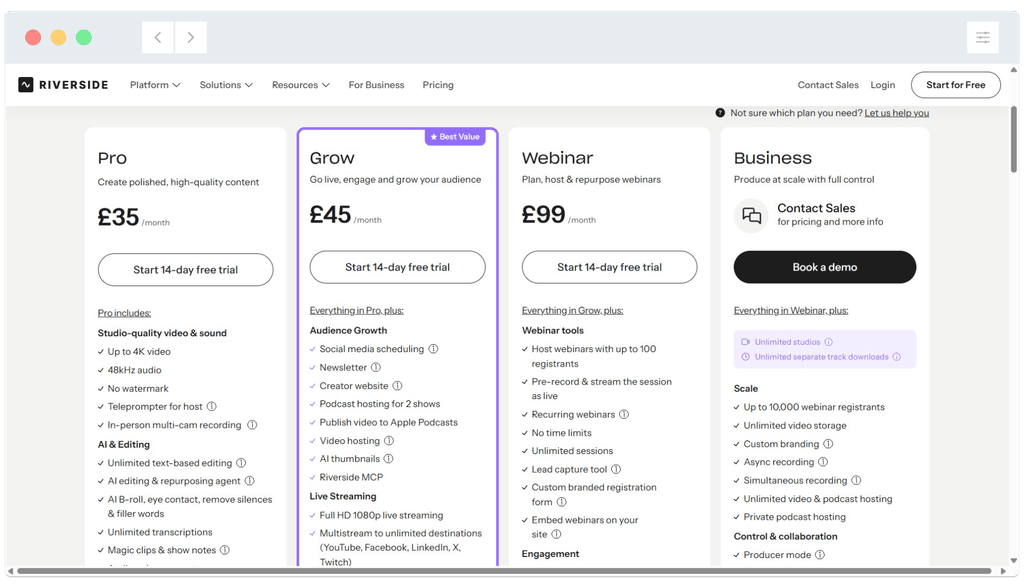
Riverside does not provide a ‘free’ tier, though you can enjoy a 14 day ‘free trial’ of any paid plan before the first payment is taken. Prices for a MONTHLY subscription are shown below – Savings can be made when you opt for a yearly plan. As always, select a plan carefully before committing to a paid option and be aware that prices and the options available in each tier can and will change over time. This is particularly common with AI-enhanced tools such as Riverside, which has seen significant changes to pricing and paid tiers in the last year.
What are Riverside’s AI credits?
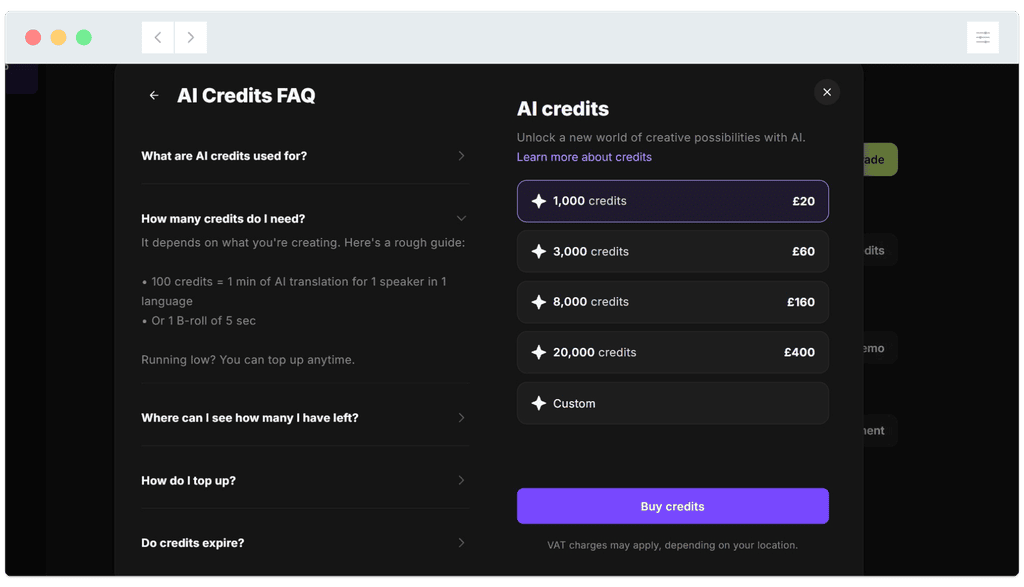
AI credits are ADDITIONAL to a monthly or yearly payment. They apply to specific AI features including the AI translation tool we used to produce the trailer above.
For example, up to 1 min of AI translation will use 100 credits (Anything less than 1 min will still use 100 credits, so a 15 second clip uses the same amount). The lowest ‘top up’ available is 1000 credits for £20, which would give us up to 10 minutes of AI translation (with or without lipsync). Whether this is value for money will depend entirely on your use case. At time of writing in September 2026, all new paid plans receive 2000 ‘free’ AI credits on sign-up, which is what we used to try the AI translation feature.
Our thoughts on Riverside in September 2026
Riverside provides a powerful, AI enhanced podcast production platform with numerous tools designed to speed up your production workflows. If you run a podcast with remote guests and produce at least a couple of episodes a month, it is definitely worth taking a look at. If you will only find specific tools useful (For example, we like the text-based video and audio editing and audio enhancement, but would not regularly require the remote recording options) it may not be worth the significant cost of entry. It’s also important to be aware of the AI credits system if you’ll use specific AI workflows, and that some processes use a minimum number of credits every time (E.g. 100 credits for ‘up to’ 1 minute of translation, so a 30 second video translated into Japanese AND French would consume 200 credits).
Riverside alternatives
One of the most popular ‘text based editors’ is Descript. If, like us, you will enjoy the modern benefits of text-based (and chat-based) audio and video editing without the additional podcast-specific recording and distribution tools, it’s worth a closer look:

Happy AI editing!
