

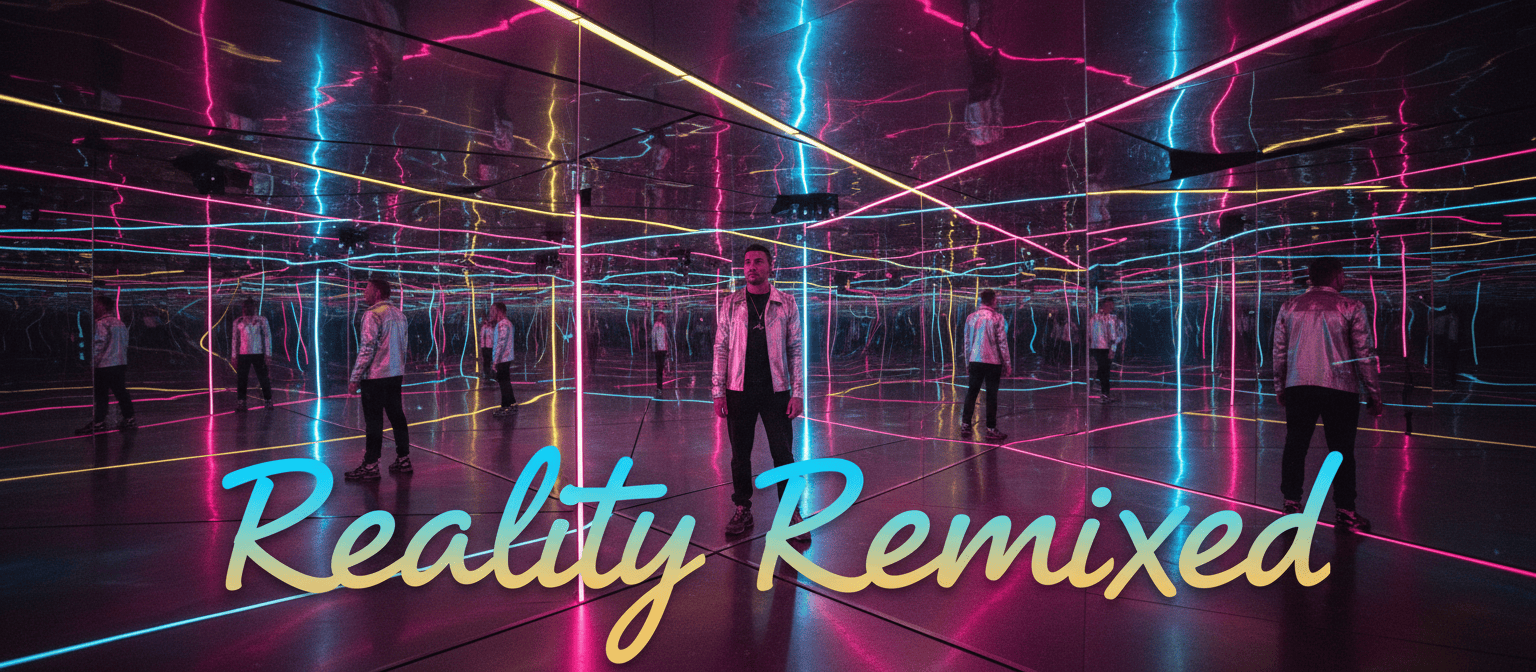
We continue our series introducing the popular online generative AI video toolkit, as we create a short video to promote a brand new immersive experience.
The AI tools and models used in this series
We’ll use runway.ml to generate video clips and assemble them into a sequence, and we’ll use additional AI tools to help with initial ideation and to create text prompts to use at runway to help generate high quality video clips.
The main steps in the project:
- Generate an overview for an ‘immersive experience’ promotional video using perplexity.ai
- Generate still images using the flux-1.1-pro model at replicate.com to use as ‘first frame’ prompts at runway
- Generate short video clips using runway’s Gen-4 model
- Use runway’s online video editor to sequence the promotional video
- Use the speech-02-hd AI model at replicate.com to generate a realistic-sounding voiceover
- Use udio.com to generate a background music track
- Add text titles and export the video file
Part 3: Video clip generation at runway.ml
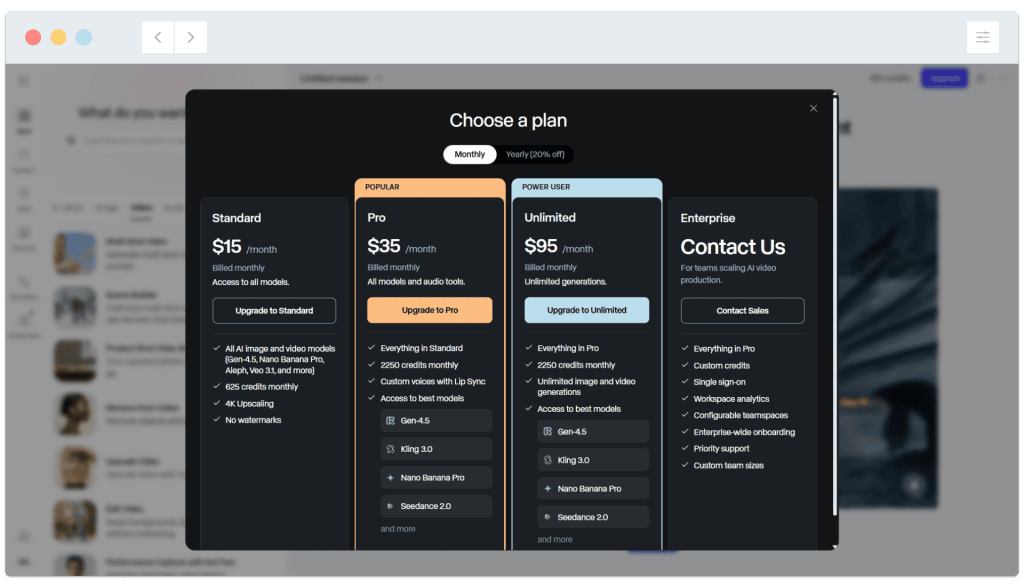
We’ve set a $15 budget to use with runway.ml (I.e. A single month of runway’s ‘standard’ plan) as this is realistic to try out the available tools. Runway’s ongoing monthly pricing is as follows in May 2026 (Discounts are available if you make a yearly commitment):
Having tried runway’s still image generation in part two of this series, we tried the same image prompt with one of our favourite standalone image-generation models, Flux 1.1 pro, accessed at replicate.com – Here’s an example of the result:

A single still image generated in Flux pro 1.1 at replicate.com costs around $0.04, while each runway image costs around $0.15 (and they’re created as batches of four). We suggest using a standalone image generation model if you already have a prefered one.
We’ll use this image generated at replicate.com as the prompt for our first video generation:

We’ve set runway to use Gen-4 (a good quality model, though not the latest gen 4.5 model) and generate a 5 second video in 16:9 aspect ratio:

Click the ‘Generate’ button to create the video clip. The tip below suggests adding camera movements to an (optional) text prompt along with the image prompt:

This video generation took around 90 seconds (Your mileage may vary depending on time of day and network load). Here’s the five second video clip runway generated, downloaded directly from the site:
A generated video clip can be upscaled to 4K resolution inside runway for an additional 10 credits. This process can also be achieved using other models (including at replicate.com) or in video editing software including Vegas Pro and Premiere Pro.

Next, we add camera movement guidance to accompany the text prompt, before regenerating the video. Gen 4 text prompting guide
The TLDR version of the prompting guide linked above is to ‘keep it simple’ and include information about subject motion, camera motion, scene motion and style descriptors:

We add the camera direction prompt: ‘A steadycam zooms into the scene at a medium pace as the room rotates slowly. The people are walking slowly. Dynamic advertising footage‘:


Here’s the updated video clip based on the additional camera information:
The text instructions have been followed though the room is actually rotating less than in the first clip where rotation was not specifically requested. We’ll select one of the two clips to use as the opening ‘hook’ shot for our immersive experience promo video.
We’ll continue using the workflow above to generate video clips for the next shots for our short video promo. As a reminder…
| Time | Visuals / Actions | Voiceover / Text (Example) | Audio / SFX |
|---|---|---|---|
| 0:00–0:03 | Hook: Fast-paced montage of immersive visuals-people stepping into a vibrant, interactive environment (e.g., VR headsets, projection mapping, tactile displays). | “What if you could step inside the story?” | Ambient build-up, whoosh SFX |
| 0:03–0:08 | Reveal the Experience: Show signature moments-participants reaching out, reacting with awe, 360° camera spins, glimpses of the environment’s highlights. | “Welcome to [Experience Name]-where reality blurs with imagination.” | Uplifting, cinematic music rises |
| 0:08–0:15 | Features/Highlights: Quick cuts of interactive elements-touch, sound, movement; show diversity of participants (families, friends, individuals). | “Explore, interact, and lose yourself in a world designed to ignite your senses.” | Layered sound effects (laughter, interactive sounds) |
| 0:15–0:22 | Emotional Connection: Faces of wonder, laughter, and surprise; slow-motion shot of a key moment (e.g., a room transforming, a dramatic reveal). | “Every moment is unforgettable. Every step, a new adventure.” | Music swells, heartbeat or pulse SFX |
| 0:22–0:27 | Urgency/Exclusivity: Quick flashes of tickets, countdown, or “Limited Time Only” overlay. | “Tickets are limited. Don’t miss your chance.” | Music intensifies, subtle ticking |
| 0:27–0:30 | Call to Action: Logo animation, website, and social handle appear. | “Book now at [website]. Experience the extraordinary.” | Music resolves, memorable audio logo |
In part four of this series we’ll generate the remaining shots for the promotional video!
